
Optimize Sales Dashboards: Proven Strategies for Maximum ROI
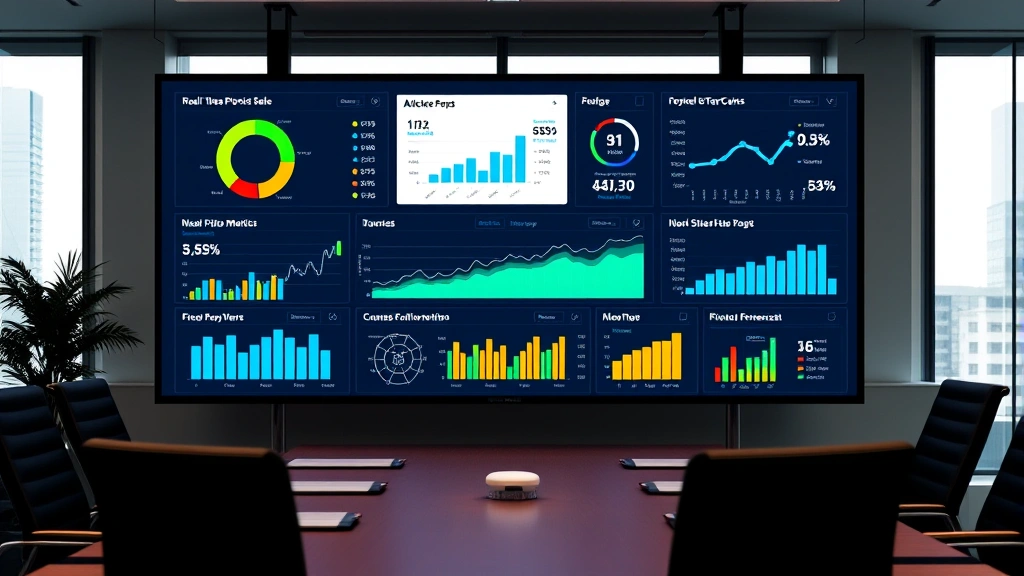
A well-designed sales dashboard transforms raw data into actionable intelligence, enabling businesses to track performance metrics in real-time and make informed decisions quickly. Whether you’re managing a small sales team or overseeing enterprise-level operations, optimizing your sales dashboard is critical to staying competitive in today’s fast-paced commercial environment. The right dashboard strategy can increase sales velocity, improve team accountability, and ultimately drive revenue growth.
In this comprehensive guide, we’ll explore proven strategies for optimizing your sales dashboard, from selecting the right metrics to implementing advanced analytics. If you’re looking to enhance your overall e-commerce capabilities alongside dashboard optimization, understanding how to build an e-commerce site can provide valuable context for your sales infrastructure investments.
Understanding Sales Dashboard Fundamentals
A sales dashboard serves as the central nervous system of your sales operation, consolidating data from multiple sources and presenting it in an easily digestible format. The foundation of an effective dashboard rests on understanding your specific business needs, sales cycle length, and organizational goals. Unlike generic reporting tools, an optimized sales dashboard should reflect your unique sales process and provide visibility into the metrics that actually drive revenue.
The most successful sales teams recognize that their dashboard isn’t just a reporting tool—it’s a strategic business asset. According to McKinsey’s research on data-driven organizations, companies that effectively leverage dashboard analytics see 5-6% higher productivity than competitors. The key is aligning your dashboard design with your sales strategy and ensuring every team member understands how to interpret the data.
When building your dashboard infrastructure, consider the user audience. Sales executives need high-level summaries and trend analysis, while individual sales representatives require granular, actionable data about their specific accounts and pipeline. This segmentation ensures that each user receives relevant information without overwhelming them with unnecessary details.
Implementing a tiered approach to dashboard access allows managers to drill down into specific territories or products while giving executives a bird’s-eye view of overall performance. This flexibility is crucial for organizations managing trucks for sale across multiple locations or those with complex product portfolios like Ford trucks for sale operations.
Key Performance Indicators to Track
Selecting the right KPIs is fundamental to dashboard success. Rather than tracking every possible metric, focus on indicators that directly influence revenue and align with your business objectives. The most effective dashboards typically monitor between 8-12 core metrics, preventing information overload while maintaining comprehensive visibility.
Revenue-Related KPIs form the foundation of any sales dashboard. These should include total revenue generated, average deal size, revenue by product line or territory, and year-over-year growth rates. Tracking revenue in real-time enables rapid course correction and allows management to identify emerging opportunities or threats immediately.
Pipeline Health Metrics provide insight into future revenue potential. Monitor the number of opportunities at each stage, average time in stage, conversion rates between stages, and deal velocity. These indicators help predict quarterly or annual performance and identify bottlenecks in your sales process. If your organization manages diverse product lines like lifted trucks for sale alongside standard inventory, segmenting pipeline metrics by product category becomes essential.
Activity Metrics track the behaviors that drive results. Include calls made, emails sent, meetings scheduled, and proposal submissions. These leading indicators help managers ensure their teams are executing the activities necessary to hit revenue targets. Research from Salesforce’s State of Sales Report shows that teams monitoring activity metrics consistently outperform those focusing solely on outcomes.
Win Rate and Sales Cycle Length are critical for forecasting accuracy. Track your overall win rate, win rates by product or territory, and average time from opportunity creation to close. These metrics reveal efficiency improvements and help identify training needs within your sales organization.
For organizations integrating multiple sales channels, implementing comprehensive e-commerce analytics tools alongside traditional sales dashboards ensures you capture the complete customer journey across all touchpoints.
Data Visualization Best Practices
How you present data matters as much as which data you display. Effective visualization transforms complex information into immediate insights, enabling faster decision-making. The human brain processes visual information 60,000 times faster than text, making strategic visualization choices critical for dashboard effectiveness.
Chart Selection should match your data type and message. Use line charts for trends over time, bar charts for comparisons between categories, and pie charts sparingly for showing composition. Avoid cluttering your dashboard with excessive visual elements; each chart should serve a specific analytical purpose. Heatmaps work exceptionally well for displaying performance across multiple dimensions, such as sales by territory and product category simultaneously.
Color Strategy enhances readability and highlights important information. Establish a consistent color palette where green indicates positive performance, red signals concern, and neutral colors represent baseline metrics. Ensure your color choices are colorblind-friendly, as approximately 8% of males and 0.5% of females have color vision deficiency. Limit your palette to 3-5 primary colors to avoid visual chaos.
Real-Time Updates versus scheduled refreshes represent a critical design decision. While real-time data seems ideal, constantly updating dashboards can distract users and create unnecessary urgency around minor fluctuations. Most organizations benefit from refreshing sales dashboards every 15-30 minutes, balancing responsiveness with stability. For organizations managing e-commerce inventory management, synchronized refresh rates between sales and inventory systems prevent costly discrepancies.
Contextual Information enhances dashboard utility. Include targets, previous period comparisons, and trend indicators (up/down arrows) to help users quickly assess performance status. Provide drill-down capabilities allowing users to explore underlying data without leaving the dashboard interface.

Integration with Inventory Management
Modern sales dashboards must integrate seamlessly with inventory systems to prevent overselling, manage stock levels effectively, and provide accurate delivery commitments. This integration creates a unified view of available inventory, pending orders, and forecasted demand. Organizations managing physical products—whether trucks for sale near me or other merchandise—cannot optimize sales without this crucial connection.
When sales and inventory systems communicate effectively, your dashboard can display real-time stock levels directly alongside sales opportunities. This prevents sales teams from creating customer commitments that cannot be fulfilled and reduces order fulfillment delays. The dashboard should highlight when inventory levels fall below reorder points and project when specific products will become unavailable.
For businesses with multiple warehouses or distribution centers, the dashboard should show inventory allocation across locations and provide visibility into stock transfers. This capability is particularly valuable for organizations managing geographically dispersed operations or multiple sales channels.
Integration also enables sophisticated forecasting. By combining historical sales patterns with current pipeline data and inventory levels, your dashboard can predict demand for specific products and recommend optimal inventory levels. This proactive approach reduces carrying costs while ensuring product availability when sales opportunities emerge.
Real-Time Analytics Implementation
Real-time analytics transform sales dashboards from historical reporting tools into forward-looking decision support systems. However, implementing true real-time analytics requires significant technical infrastructure and careful consideration of data architecture. According to Gartner’s Analytics and Business Intelligence research, organizations that implement real-time analytics see 25% faster decision-making cycles.
Data Pipeline Architecture forms the backbone of real-time analytics. Modern approaches typically employ streaming data architecture where transactions flow continuously into analytical systems rather than being processed in scheduled batches. This architecture enables dashboard updates within seconds of transactions completing, providing genuine real-time visibility.
Cloud-Based Solutions offer significant advantages for real-time analytics implementation. Cloud platforms like AWS, Google Cloud, and Azure provide managed services that handle the complexity of real-time data processing without requiring extensive in-house infrastructure expertise. These platforms scale automatically as data volume increases, ensuring consistent performance as your business grows.
Data Quality and Validation become more critical with real-time systems. Implement automated data validation rules that catch errors immediately rather than waiting for batch processing. Alert systems should notify administrators when data quality issues emerge, preventing bad data from propagating through your analytics systems.
Real-time dashboards also enable predictive alerting, where the system notifies managers when specific conditions occur—such as a deal moving to a critical pipeline stage or a customer account showing warning signs. These alerts transform passive reporting into active management support.
Mobile Optimization Strategies
Modern sales teams operate increasingly away from their desks, making mobile-optimized dashboards essential. According to Statista’s mobile analytics data, over 60% of web traffic now originates from mobile devices, and sales teams expect comparable access to dashboards on smartphones and tablets.
Responsive Design ensures your dashboard adapts seamlessly to different screen sizes. Rather than simply shrinking desktop dashboards, mobile versions should present the most critical metrics prominently and allow users to drill down into detailed views. Prioritize the top 3-5 KPIs for mobile display, recognizing that small screens cannot accommodate complex visualizations.
Touch-Friendly Interfaces are essential for mobile usability. Ensure buttons and interactive elements are large enough for accurate finger selection and provide adequate spacing between clickable elements. Avoid hover-dependent functionality since mobile devices don’t support hovering; instead, use tap-based interactions.
Offline Capabilities enhance mobile utility for field-based sales teams. Implement caching strategies that allow users to view previously loaded dashboard data even when internet connectivity is unavailable. Once connectivity resumes, the dashboard automatically syncs with backend systems to ensure data accuracy.
Native Mobile Applications often outperform responsive web dashboards for sales teams, providing superior performance, offline functionality, and integration with mobile device features like notifications. Many leading dashboard platforms offer dedicated mobile apps alongside web interfaces.
Advanced Features and Customization
Mature dashboard implementations incorporate advanced features that transform raw data into strategic insights. These capabilities distinguish exceptional dashboards from basic reporting tools.
Predictive Analytics leverages historical data and machine learning algorithms to forecast future outcomes. Rather than simply reporting what happened, predictive models answer critical questions: Which leads are most likely to close? Which customers are at risk of churning? What revenue can we realistically expect next quarter? These insights enable proactive sales management rather than reactive responses to past performance.
Scenario Modeling allows sales leaders to test different strategies and understand potential outcomes. For example, a dashboard might allow managers to model the impact of different pricing strategies on deal velocity or analyze how adding sales resources to a specific territory would affect revenue projections. This capability supports strategic planning and resource allocation decisions.
Customizable Dashboards recognize that different users have different information needs. Allow individual sales representatives to customize their views to focus on their accounts and metrics, while providing administrators with the ability to enforce certain standard metrics across the organization. This balance between flexibility and consistency ensures consistency in reporting while accommodating individual preferences.
Collaborative Features enhance dashboard utility beyond individual analysis. Include commenting functionality, allow users to share dashboard views with colleagues, and implement approval workflows for critical decisions. These features transform dashboards into collaboration platforms that support team-based decision-making.
Integration with External Data Sources enriches dashboard insights. Connect with market data providers, competitive intelligence platforms, and industry benchmarks to contextualize your internal performance. Understanding how your metrics compare to industry standards helps identify where you’re excelling and where improvement opportunities exist.
Frequently Asked Questions
What metrics should every sales dashboard include?
Every sales dashboard should track revenue, pipeline health, win rates, sales cycle length, and activity metrics. However, the specific metrics should align with your business model and strategic priorities. A SaaS company might emphasize customer acquisition cost and lifetime value, while a product-based business might focus on unit sales and inventory turnover. The key is selecting 8-12 metrics that drive your business rather than attempting to track everything possible.
How often should sales dashboards be updated?
For most organizations, updating dashboards every 15-30 minutes provides the right balance between responsiveness and data stability. Real-time updates every few seconds can create unnecessary distraction and panic over minor fluctuations. However, specific metrics like critical deal movements or inventory alerts might warrant more frequent updates. Establish refresh cadences based on how quickly your business operates and how actionable the information is.
What’s the difference between a sales dashboard and sales analytics?
A sales dashboard presents current performance metrics in visual format, providing a snapshot of your sales operation at a specific moment. Sales analytics, by contrast, involve deeper investigation into why performance looks the way it does, including trend analysis, cohort comparisons, and root cause analysis. Effective sales organizations use dashboards for monitoring and analytics for understanding.
How can we ensure dashboard adoption across our sales team?
Successful dashboard adoption requires executive sponsorship, adequate training, and demonstrated value. Start by involving end users in the design process to ensure the dashboard addresses their actual needs. Provide comprehensive training and ongoing support, and celebrate early wins where the dashboard helped drive decisions or identify opportunities. Make dashboard usage part of your sales process and hold managers accountable for monitoring and acting on dashboard insights.
What’s the best platform for building a sales dashboard?
The best platform depends on your technical capabilities, budget, and specific requirements. Salesforce, HubSpot, and Pipedrive offer built-in dashboards that integrate tightly with their CRM systems. For more sophisticated analytics needs, platforms like Tableau, Power BI, and Looker provide greater flexibility and customization capabilities. Many organizations use multiple tools, combining CRM-native dashboards with specialized analytics platforms for deeper analysis.
How do we ensure dashboard data accuracy?
Data accuracy depends on clean data entry practices, automated validation rules, and regular audits. Implement mandatory fields and dropdown selections to reduce free-form text entry errors. Create automated validation rules that flag suspicious data patterns immediately. Conduct regular data quality audits comparing dashboard metrics against source systems to identify and correct discrepancies. Train your sales team on proper data entry practices, emphasizing that data quality directly impacts their ability to manage their pipeline effectively.