
Table of Contents
Introduction
Here’s the truth about e-commerce plugins for WordPress: your choice can literally make or break your online store. Ever notice how some online shops just seem to work perfectly—everything flows smoothly, checkout is a breeze, and customers keep coming back? Meanwhile, others feel clunky and frustrating, sending potential buyers running to competitors. The secret often lies in what’s running behind the scenes: the e-commerce plugin.
If you’re setting up a WordPress store (or thinking about it), you’ve probably already discovered there are tons of plugin options out there. WooCommerce, Easy Digital Downloads, BigCommerce for WordPress, Shopify Buy Button—the list goes on. But here’s what most people don’t realize: this isn’t just a technical decision you can delegate to your developer and forget about. Your plugin choice directly impacts how customers experience your store, how easily you can manage inventory, and whether your site can grow with your business.
And let’s talk about something equally important—marketing and analytics. The right plugin doesn’t just handle transactions; it plays nicely with marketing tools that can transform your business. Our e-commerce marketing strategies guide shows you how to leverage these connections for real growth. Plus, when you pair your plugin with the right e-commerce analytics tools, you’ll actually understand what’s working (and what isn’t) in your sales process. Trust me—flying blind in e-commerce is expensive.
Starting from scratch? No problem. Whether you’re launching your first online store or moving an existing business online, getting the basics right matters more than you think. Take a look at this overview of e-commerce platforms to understand how everything fits together. Then, our practical step-by-step site building guide will walk you through the actual process. And if you’re focusing on digital products? You’ll want to check out our guide to selling digital products online—it’s a different game with its own rules.
What You’ll Learn in This Guide
We’re going to cut through the confusion and help you pick the perfect e-commerce plugin for your WordPress store. No technical jargon, no overwhelming feature lists—just practical guidance to help you make the right choice for your specific situation.
- Overview of Top Plugins: We’ll break down the big players—WooCommerce, Easy Digital Downloads, BigCommerce for WordPress, and Shopify Buy Button—and show you exactly when each one makes sense for your business.
- Key Features to Consider: Learn which features actually matter (spoiler: it’s not always the ones with the flashiest marketing) and how things like payment options, customization, and performance impact your bottom line.
- Setup and Installation Tips: Get practical, step-by-step instructions for getting your chosen plugin up and running, from adding your first product to setting up payments and making your store look professional.
- Pricing and Support: Understand the real costs (including the hidden ones), when free versions make sense, and when you might need to bring in professional help.
Throughout this guide, we’ll focus on what really matters: user experience, flexibility, and whether your chosen solution can grow with your business. Because here’s what I’ve learned after years in e-commerce—the “best” plugin isn’t the one with the most features or the biggest marketing budget. It’s the one that fits your specific needs, works reliably, and doesn’t drive you crazy to manage.
We’ll also cover some crucial behind-the-scenes stuff, like payment gateway integration (which can get tricky fast) and how modern marketing automation fits into your WordPress setup. The insights from marketing automation for ecommerce are particularly valuable here—when your store can automatically nurture leads and re-engage customers, you’re building a real business, not just a digital storefront.
By the time you finish reading this guide, you’ll know exactly which plugin suits your needs and how to set it up properly. More importantly, you’ll understand how to optimize your store for growth from day one. Ready to turn your WordPress site into a sales machine? Let’s dive in and find the perfect e-commerce plugin for your business.
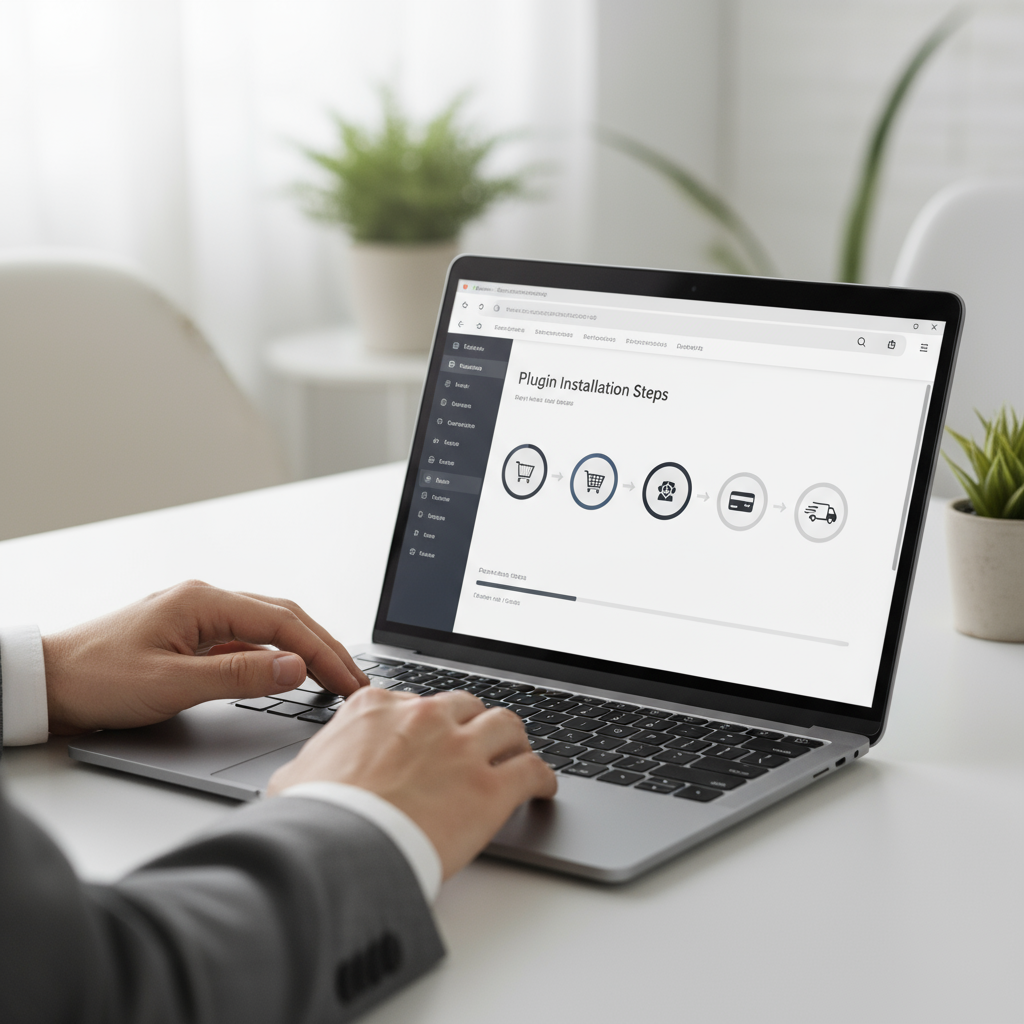
Here’s the thing about choosing an e-commerce plugin for your WordPress site—it’s one of those decisions that can make or break your online store. And trust me, with so many options out there, each promising to be the “best,” it’s easy to get overwhelmed. The reality is that different plugins excel at different things, and what works perfectly for your neighbor’s business might be completely wrong for yours. So let’s cut through the noise and figure out what actually matters for your specific situation.
Overview of Top E-commerce Plugins for WordPress
WordPress has some seriously powerful e-commerce plugins, and honestly, the variety is both a blessing and a curse. WooCommerce is the big player here—and for good reason. It’s like the Swiss Army knife of e-commerce plugins, packed with features and backed by a massive community. But before you jump on the WooCommerce bandwagon (which, let’s be honest, most people do), it’s worth checking out the best e-commerce platforms for small businesses to understand why WooCommerce has earned its reputation for flexibility and community support.
Now, WooCommerce isn’t your only option. Far from it. If you’re selling digital products—think ebooks, software, or online courses—Easy Digital Downloads might be your new best friend. It’s built specifically for digital goods, which means less bloat and more focused features. Then there’s BigCommerce for WordPress, which is interesting because it gives you the best of both worlds: Shopify-level infrastructure with WordPress flexibility. And speaking of Shopify, their Buy Button plugin lets you tap into Shopify’s powerful backend while keeping your WordPress design. Pretty clever, right?
Key Aspects of Popular WordPress E-commerce Plugins
Look, I get it—comparing plugins can feel like comparing apples to space shuttles sometimes. But there are some key things that matter most:
- Extensive Customization Options: WooCommerce is like digital LEGO blocks—you can build almost anything. Want a custom checkout flow? There’s an extension for that. Need specific product page layouts? You’ve got options. This flexibility means you can create something that actually reflects your brand, not just another cookie-cutter store.
- Digital Product Focus: Easy Digital Downloads doesn’t try to be everything to everyone, and that’s exactly why it works so well. Managing licenses, controlling file access, handling subscriptions—it just makes sense when you’re not dealing with shipping boxes.
- Scalability and Performance: Here’s where BigCommerce for WordPress gets interesting. While your WordPress site handles the pretty stuff, BigCommerce’s cloud infrastructure does the heavy lifting. When your store suddenly gets featured on a major blog (fingers crossed!), you won’t crash and burn.
- Integration with Established Platforms: The Shopify Buy Button is brilliant in its simplicity. You get Shopify’s rock-solid payment processing and inventory management, but your site still looks and feels like yours. It’s like having your cake and eating it too.
The trick is matching these strengths to what you actually need. Are you planning to scale fast? Do you need tons of customization? Will you be selling digital or physical products? Answer these questions first, and the choice becomes much clearer.
Essential Features to Evaluate When Choosing an E-commerce Plugin
Okay, so you’ve narrowed down your options. Now comes the fun part—actually figuring out which features matter most for your business. And yes, I said “fun” because this is where you get to think like your customers and imagine their experience from start to finish.
Payment options are huge. I mean, really huge. You know that feeling when you’re ready to buy something online and they don’t accept your preferred payment method? Instant frustration, right? Your customers feel the same way. Then there’s customization—because let’s face it, nobody wants their store to look like every other store on the internet. And don’t even get me started on scalability. Nothing kills the excitement of a successful marketing campaign quite like a crashed website.
Fundamental Plugin Features Impacting E-commerce Success
Here’s what actually moves the needle:
- Payment Gateway Integration: This isn’t just about accepting credit cards anymore. PayPal, Apple Pay, Google Pay, Buy Now Pay Later options—your customers want choices. The easier you make it to pay, the more likely they are to actually complete their purchase. It’s that simple.
- Customization and Flexibility: Your brand is unique (or at least it should be), so why should your store look generic? The right plugin lets you tweak everything from product layouts to checkout flows. Because when your store reflects your personality, customers remember you.
- Scalability and Performance: Picture this: your product goes viral, traffic spikes 1000%, and your site… keeps working perfectly. That’s what good scalability looks like. CDN integration, caching support, cloud hosting compatibility—these aren’t just tech buzzwords, they’re your lifeline during success.
- SEO and Analytics Friendly: You can’t improve what you can’t measure, right? Your plugin should play nice with SEO tools and give you the data you need to understand your customers. Speaking of which, diving into e-commerce analytics tools will help you make the most of whatever plugin you choose.

Here’s the thing about choosing an e-commerce plugin for WordPress—it’s one of those decisions that’ll either set you up for success or leave you pulling your hair out later. We’ve walked through the heavy hitters: WooCommerce, Easy Digital Downloads, BigCommerce for WordPress, and the Shopify Buy Button. Each one has its sweet spot. WooCommerce? Perfect if you want flexibility. Easy Digital Downloads? Your best friend for digital products. The key isn’t finding the plugin with every bell and whistle imaginable—it’s finding the one that actually works for your specific situation and makes your customers’ shopping experience smooth as butter.
Now, let’s talk about what really matters when you’re evaluating these plugins. Payment processing that doesn’t make people abandon their carts? Essential. A storefront that actually looks like your brand instead of a generic template? Absolutely crucial. And here’s something people often overlook—your plugin needs to handle traffic spikes without crashing. (Trust me, there’s nothing worse than your site going down during a big sale.) Getting the setup right from day one—installation, product management, the whole nine yards—makes all the difference between a store that runs itself and one that constantly needs babysitting.
The e-commerce world moves fast, and staying on top of things like pricing changes, plugin updates, and knowing when to call in a pro can save you serious headaches down the road. Here’s a reality check: those “free” plugins often come with hidden costs. Hosting fees, payment gateway charges, premium extensions—they add up quickly. Smart business owners keep a close eye on these ongoing expenses because they can eat into your profits faster than you’d expect.
Ready to take action? Good—because knowledge without action gets you nowhere. Start by diving into how to build an e-commerce site for clear, practical steps to get your store up and running. If you’re in the digital products game, our guide on how to sell digital products online will give you the insider tips you need. Want to actually make sales once your store is live? Master e-commerce marketing strategies to attract customers through smart SEO, social media, and email campaigns that actually convert. And here’s something most business guides won’t tell you—learn how to build an emergency fund because even successful businesses hit rough patches, and you’ll want that financial cushion.
You’ve got the knowledge. You’ve got the resources. Now it’s time to stop overthinking and start building. The perfect e-commerce plugin for your business is out there—probably one we’ve covered in this guide. Remember, building a successful online store isn’t about having everything perfect from day one. It’s about starting smart, staying flexible, and always keeping your customers happy. Your WordPress e-commerce journey starts with a single decision, and honestly? You’re already way ahead of most people just by doing your homework first.
Frequently Asked Questions
-
Which WordPress e-commerce plugin is best for beginners?
- WooCommerce is often recommended for its ease of use and extensive resources, making it ideal for beginners starting their online stores.
-
Can I switch my e-commerce plugin later?
- Yes, you can switch plugins; however, it may require data migration and some technical effort to ensure a smooth transition.
-
Are these plugins compatible with all WordPress themes?
- Most popular plugins work well with many themes, but it’s important to verify compatibility with your specific WordPress theme before committing.
-
Do I need coding skills to use these plugins?
- Basic use typically requires no coding, but advanced customization might necessitate some programming knowledge or developer assistance.
-
What costs should I expect beyond the plugin itself?
- Besides plugin costs, expect expenses for hosting, payment gateway fees, premium extensions, and possibly paid themes and professional support.


